Headlines and copy
Compare two versions of a headline, subheading or body copy to see which message lands.
How it works
Create a test, mark the two versions, pick a goal. It all happens inside WordPress: no external editor, no third-party scripts, and the results stay in your own database.
In wp-admin, open ImproveAB and choose New test. Name the test and say what you are testing: an element or section on a page, or two whole pages at different addresses.
The plugin turns the name into one CSS class per version. A test called “Hero CTA” gets these two:
improveab-hero-cta-defaultimproveab-hero-cta-v1
Up to six versions per test. Not sure how long to run it? The planner in the plugin’s Guide estimates the visitors and days you need.
What the planner calculates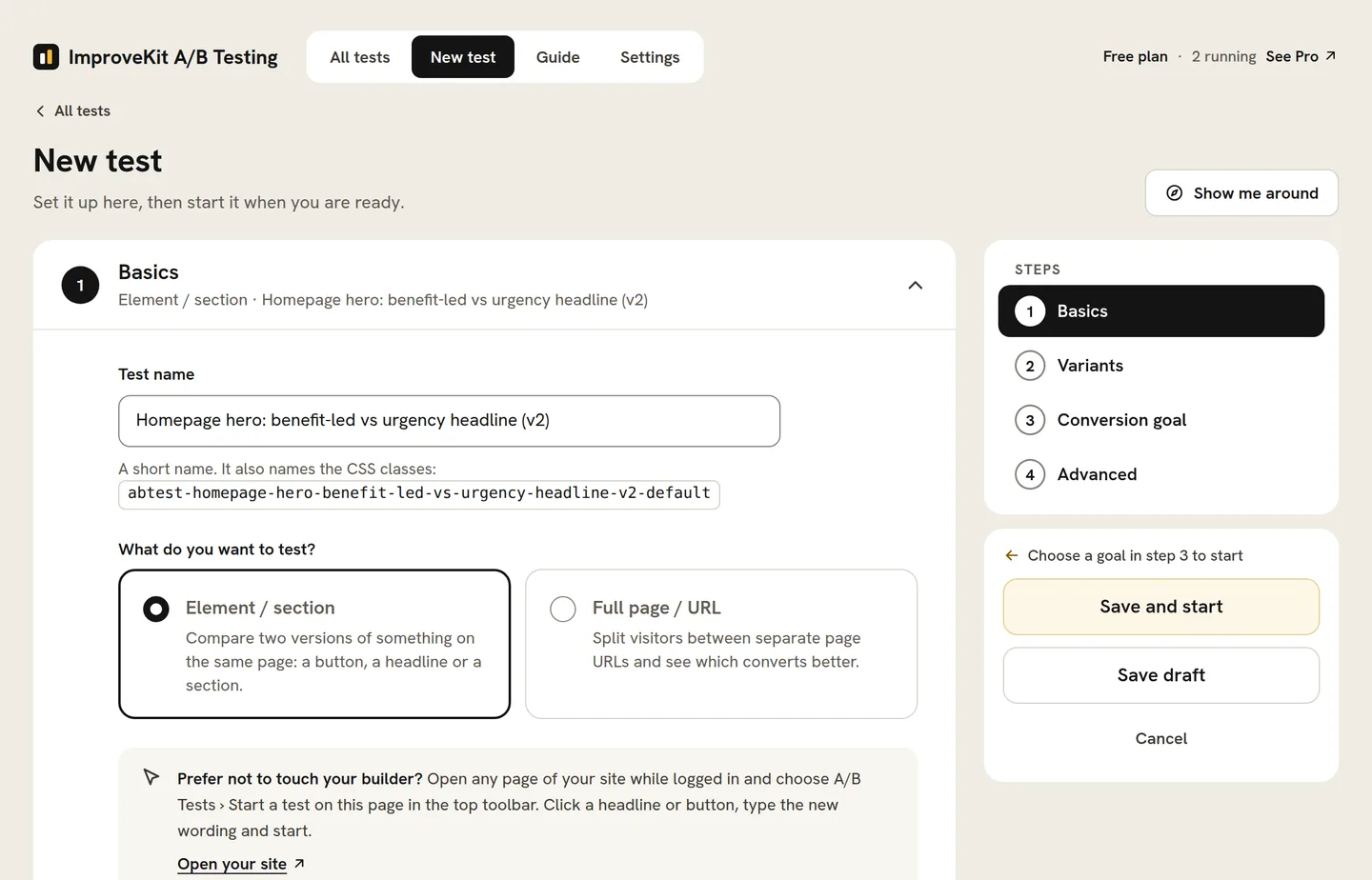
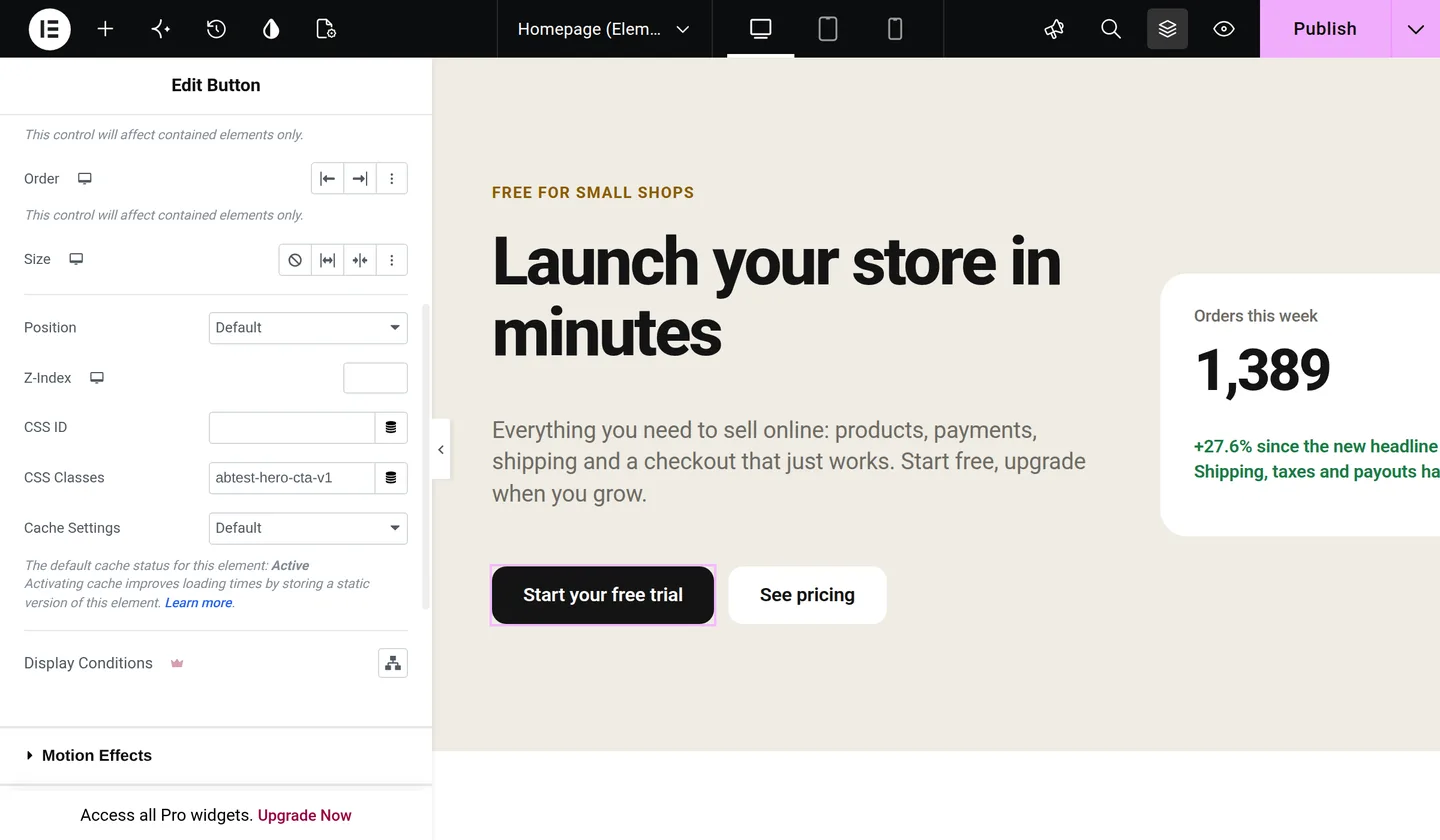
Build both versions on the same page: duplicate the button or section and change the copy. Then give each one its class in your builder’s CSS class field. In Elementor that is Advanced › CSS Classes; in the block editor, Advanced › Additional CSS class(es).
Every visitor sees one version, the one they were assigned. The other stays hidden.
Where the field is in each builderNo builder? Point and clickLogged in, open the page and choose A/B Tests › Start a test on this page in the admin bar. Click the headline, button or section, type the new version in the panel and start. The plugin keeps both versions, so nothing in your builder changes. Point-and-click guide
Choose the one action that counts as a conversion: a page visit such as your thank-you page, a click, a form submission, a WooCommerce add to cart or purchase with its revenue, scroll depth, time on page or active time. Then start the test.
Each visitor is assigned a version in their own browser, keeps it on every return visit and is counted once. The results collect in your database: visitors, conversions and conversion rate per version, with the leader marked. When you call a winner, one click keeps showing it to everyone.
How to read the results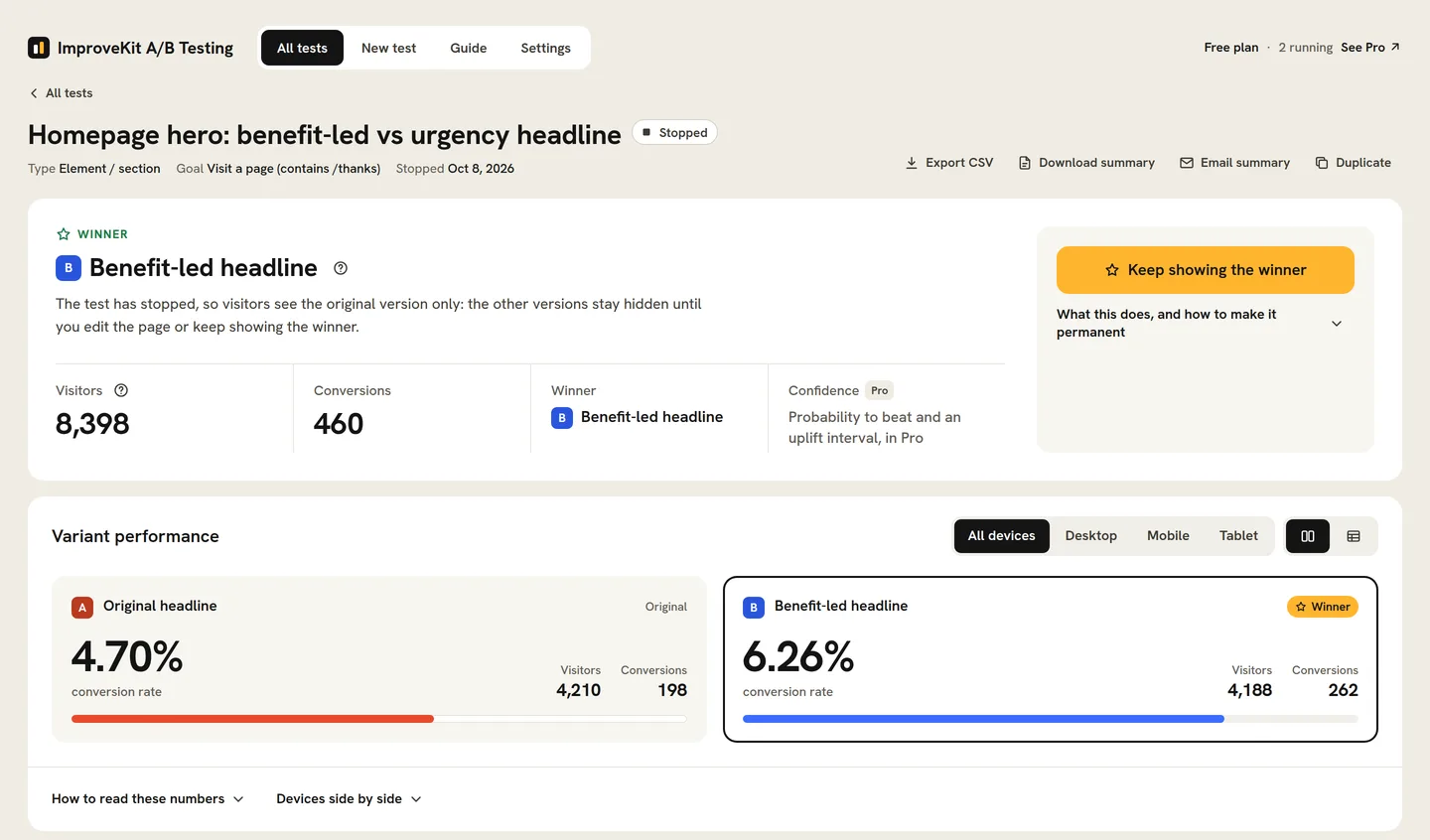
What you can test
Anything you can click on the page, or two whole URLs.
Compare two versions of a headline, subheading or body copy to see which message lands.
Button wording, colour, size or placement, measured by the clicks or the sales that follow.
A different hero image, a reordered section or a new layout: build the version and give it the class.
A URL test splits visitors between two separate pages, even across two sites. On your own site, a canonical tag points search engines back to the original.
Offers, plans or pricing copy, measured by sign-ups or purchases. With Pro, AI Copy suggests wording using your own API key.
Count add-to-carts or purchases, with revenue and revenue per visitor for each version, on the free plan.
Your builder
Adding the class is the only step that differs between builders. Each guide is a page long.
Trustworthy results
A test only helps when you can believe it.
So you know what caused the difference.
Set the sample size before you start with the planner in the Guide, and give every version at least a few hundred visitors and a couple of dozen conversions.
Cover normal weekly cycles rather than stopping the moment a variant looks ahead.
Pro reports a confidence level and a Bayesian probability-to-beat so you know when a result is solid.
Why a class
Many testing tools lock you into one page builder, or load a script from someone else’s server that rewrites your page in the browser. A class-based test keeps the markup yours: both versions are already in the page, and the plugin only decides which one each visitor sees and records the outcome. Point-and-click tests write their version into the element in the browser, and on a normal page load the element stays hidden until its version is in place. That is why it works with every builder, stays light, and needs no page-cache exclusions.
New to this? The free plugin is the best place to start. It includes a complete plain-English guide inside WordPress. Run one real test end to end, then upgrade to Pro when you want deeper analytics and automation. The step-by-step guide walks through a first test with the statistics included.
The free plugin is in final testing. Join the waitlist and put a real question to your visitors the week it lands.